New
Search is now a chat
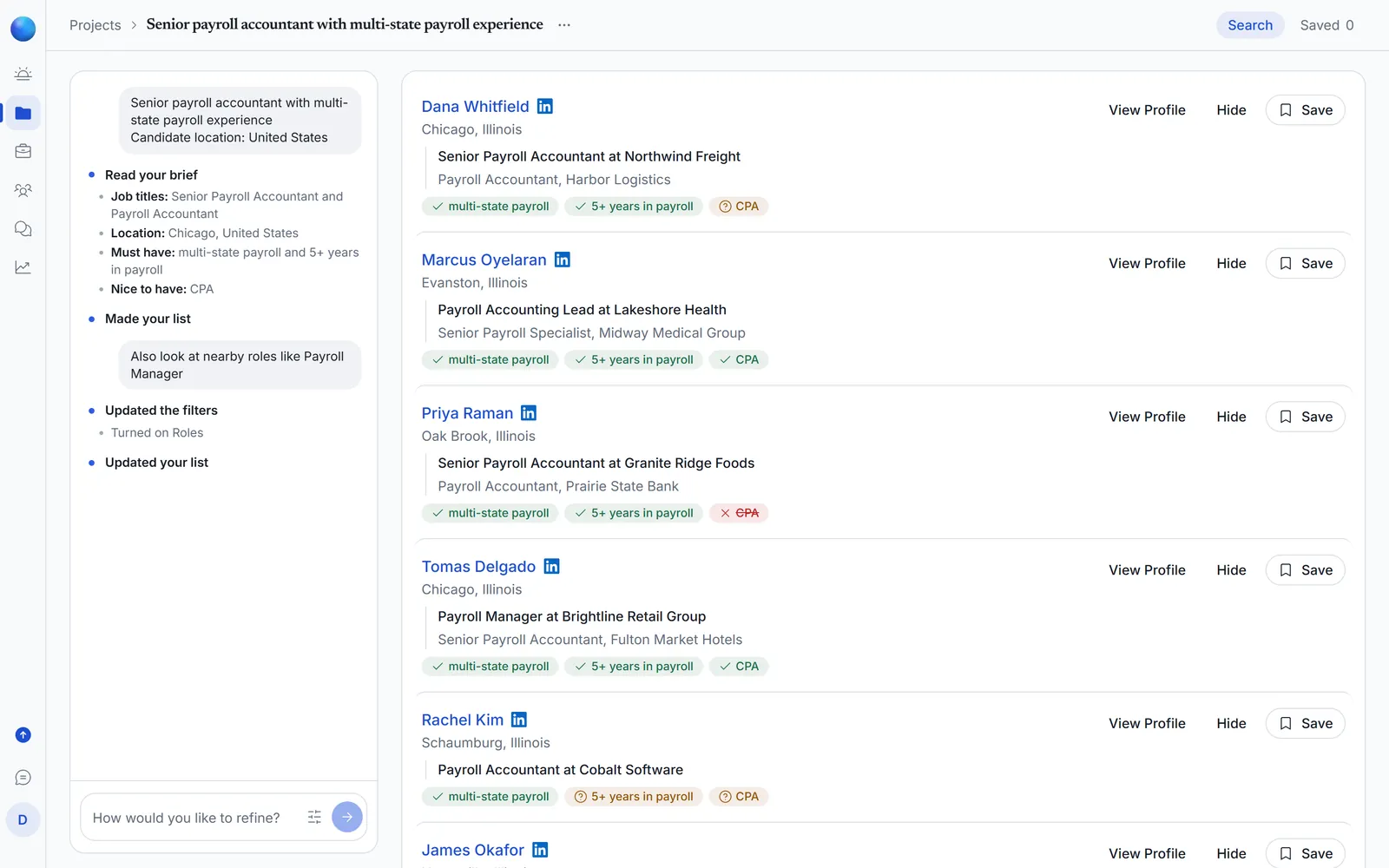
A project’s left panel is now a chat. Your brief sits at the top, each step of the search appears under it, and you refine by typing what to change.
New features and changes to how Agentic Blue looks and works, newest first.
A project’s left panel is now a chat. Your brief sits at the top, each step of the search appears under it, and you refine by typing what to change.
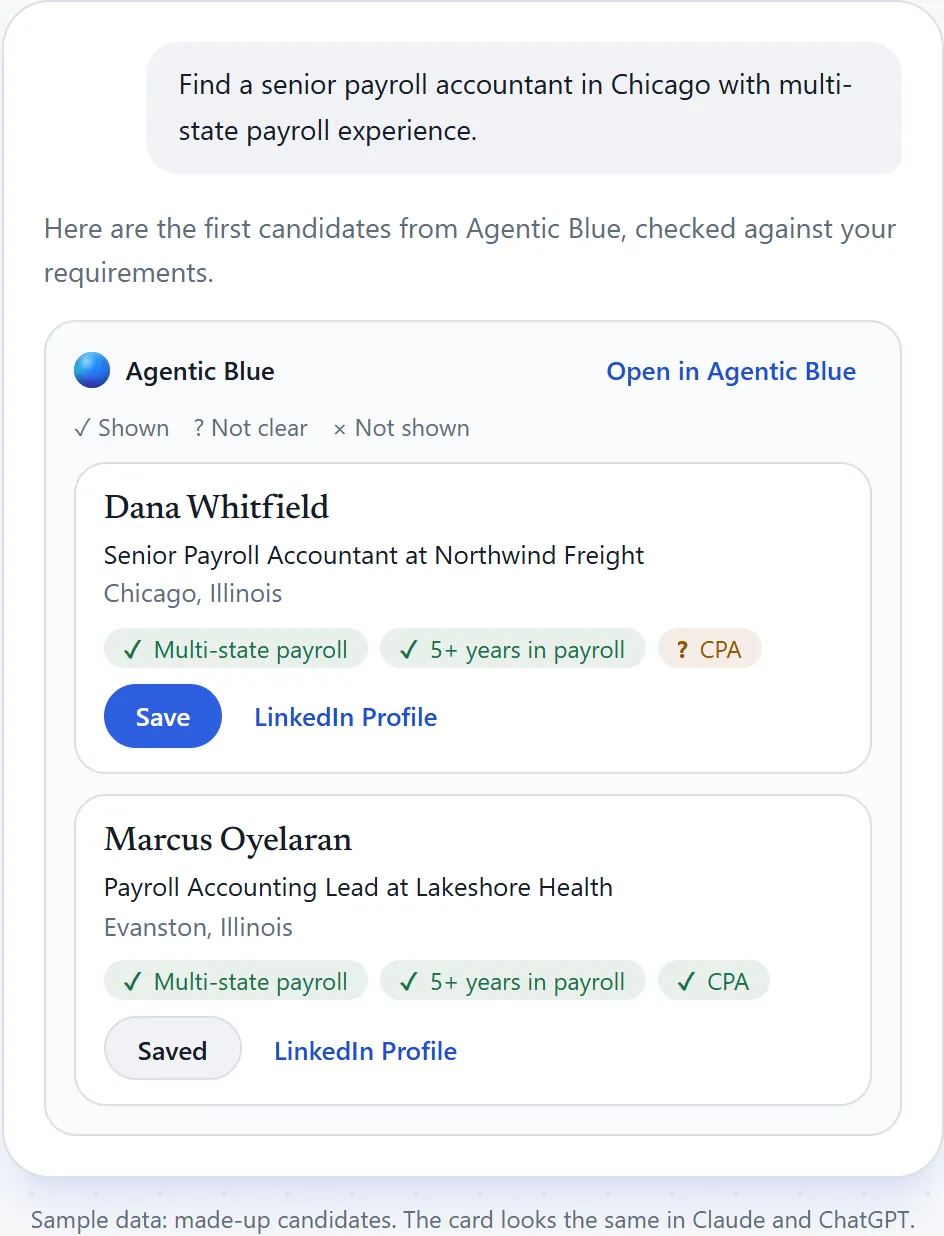
Add Agentic Blue to Claude or ChatGPT and search for candidates without leaving the chat. They come back as cards you can save to your project.
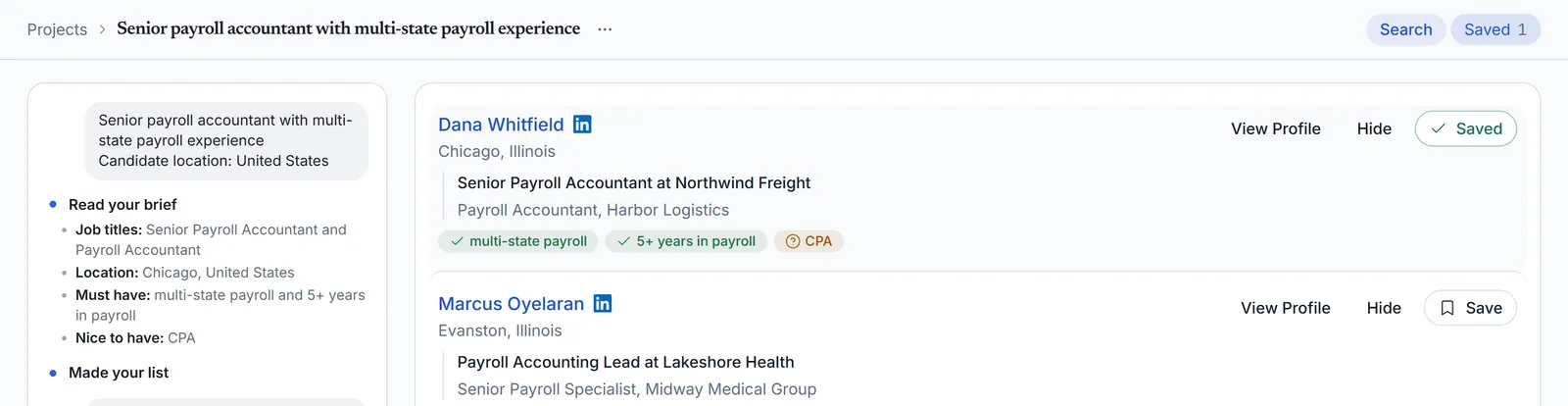
The project name, Search and Saved now share one line at the top, so the candidates get more of the screen.
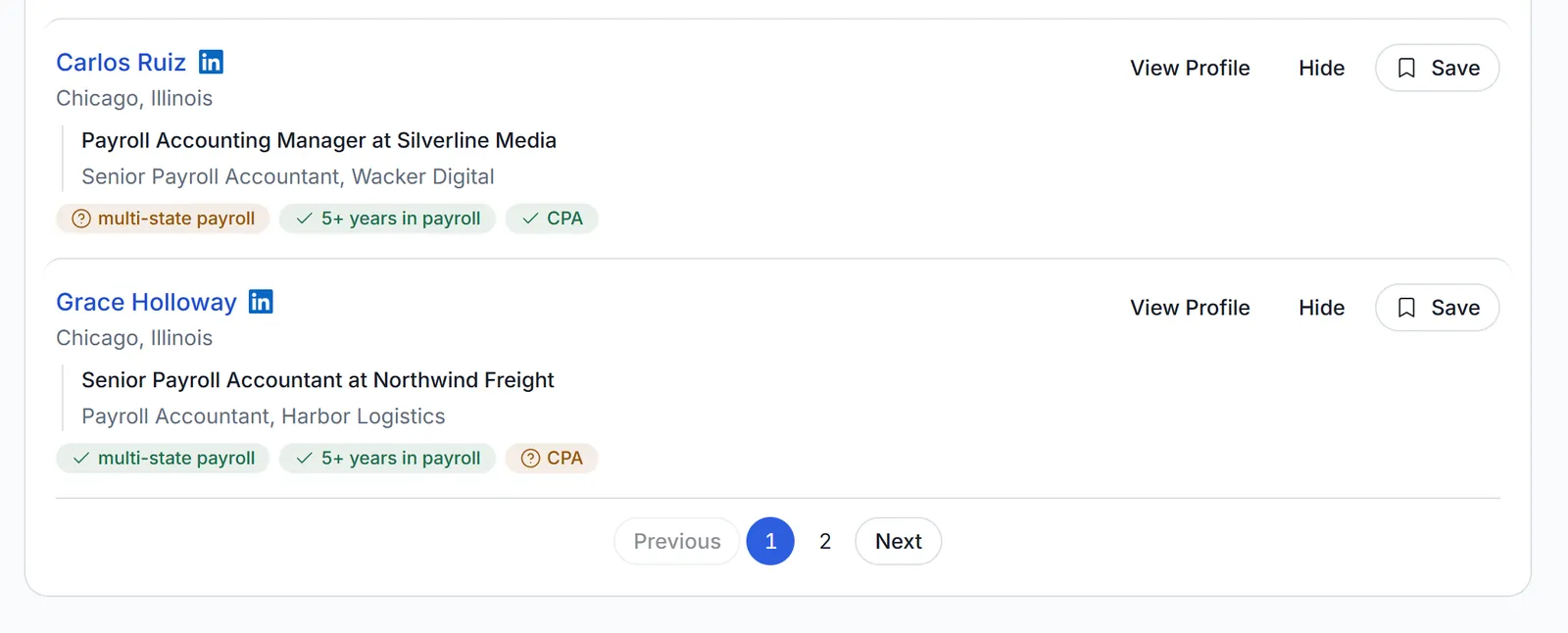
Candidates come in one list with page buttons. On the last page, Next finds more.
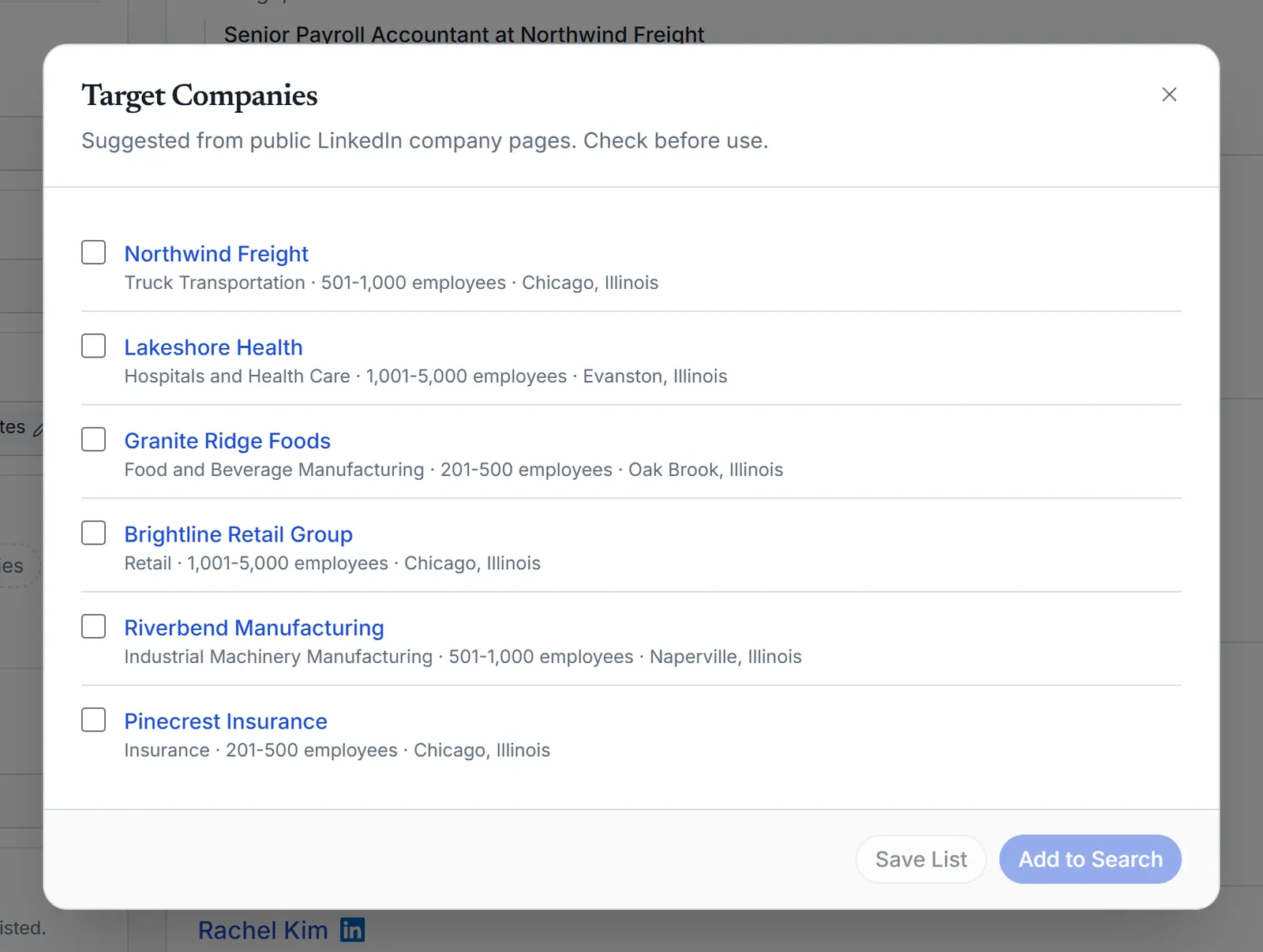
Describe an industry and a company size to get a list of companies to search in. You choose which ones to use.
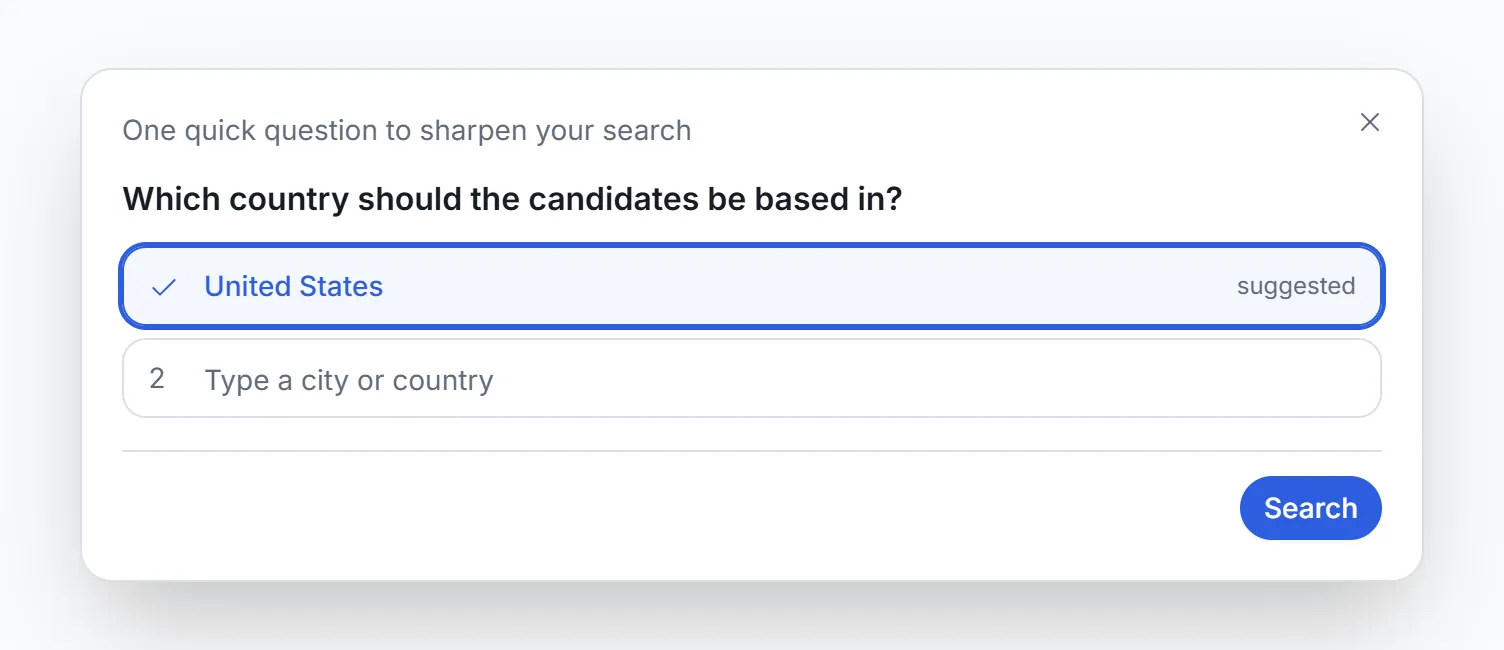
If your brief leaves out something the search needs, such as where the role is, a short question card asks for it before the search starts.
Want to see it on your own role? Try Agentic Blue for free.